
Bring your AI work together
Your team already works with  ChatGPT,
  Claude,
  Copilot and more. Runwork is the team cloud under all of them, so what anyone makes or automates with AI is shared and keeps running.


Apps and automations4
 HubSpot Deployed 3d 1d Claude Code · answers setup questions 5d
 Skills3
1d 1w 3d Chats8
Claude Code · finished · Mike Shared 1h ChatGPT · finished · Sarah Only on this computer 4h Claude Desktop · finished · Emma Only on this computer 1d Files12
2d 1w 1w Data and integrations5
HubSpot CRM · read by Onboarding Tracker Connected 1d  Slack Alerts into #customer-onboarding Connected 1mo
  Salesforce Account data, kept in step Connected 3w
  Google Drive Templates and customer packs Connected 1mo HubSpot 2h


 Re:imagine Strategy
 Every team here keeps its AI work in Runwork: our translation style rules, the admin panel shortcuts, the RFP answers. Someone new starts with all of it on day one.
We built our own CRM and production tracker in Runwork, and our marketing team runs ads, content and translations from the same place.
Each project manager had their own prompts. Now the best ones are shared skills, and the whole team works the same way.
We try every new AI tool. Runwork is where what we learn with them stays, for the whole team.
Security comes first for us. Runwork shows us which AI tools the team uses and what they connect to, in one place.
Why teams stall with AI
Everyone on your team already uses AI, alone. What one person figures out stays on their computer, nobody else's AI knows it, and the person who joined on Monday has nothing to start from.
One space per kind of work
A space is where one piece of work lives: its files, how your AI should handle it, the apps and automations around it, and the conversations. Think customer onboarding, renewals, or the newsletter.
Claude Skillwelcome-emailTaught once · only her Claude knows it Skillaccount-briefPasted into Teams twice AI Instructions Filenewsletter-outline.mdIn her local scratchpad ChatDraft the newsletter from the outlineOnly on this computer AppOnboarding TrackerSarah · 3d Claude  AI Instructions ChatFill the intake form for NorthstarStarting from zero AppRenewals TrackerMike · 5d ChatGPT
  AI Instructions ChatWhich customers renew in October?Only on her computer Schedulemonday-ideas2d
  Runwork
Apps and automations4
HubSpot Deployed 3d 1d Claude Code · answers setup questions 5d Skills3
1d 1w 3d Chats8
Claude Code · finished · Mike Shared 1h ChatGPT · finished · Sarah Only on this computer 4h Claude Desktop · finished · Emma Only on this computer 1d Files12
2d 1w 1w Data and integrations5
HubSpot CRM · read by Onboarding Tracker Connected 1d Slack Alerts into #customer-onboarding Connected 1mo Salesforce Account data, kept in step Connected 3w Google Drive Templates and customer packs Connected 1mo HubSpot 2h A shared space for every piece of work
Each space keeps that work's AI instructions and chats, files, skills, apps and automations. Your teammates and their AI tools open it with everything already in place.
Chats that start with context
Whichever AI tool each person uses, their chats now work in the same space, with the latest files, skills, apps and automations in front of them. Runwork collects every file and output those chats touch, and any chat can be shared with a teammate.
Share anything
Bring the folder you already work in. Runwork shows you what changed, and you pick what to share with your team. Your teammates and their AI tools pick it up where you left off.
Save how you work as a skill
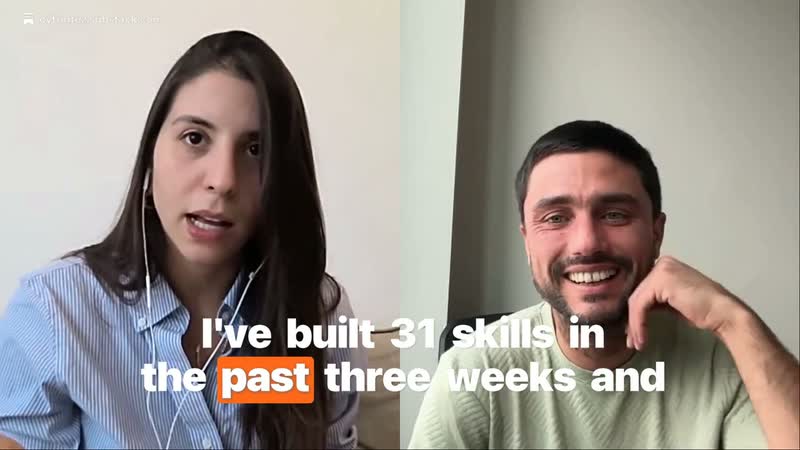
Emma shows her Claude how the team writes a welcome email, then saves it as a skill. From then on, everyone's AI writes them her way, automatically.
Customers have made skills like:
- Certified translation style
- RFP responses
- Lead scoring
- SEO audits
Apps and automations anyone can make
Describe what you need and your AI builds it right in the space. Runwork hosts it for your team, with sign-in, data and 3,600+ integrations ready. It is an enterprise-grade platform, made simple enough for any team and their AI.
Customers have made apps and automations like:
- Factory production management
- Ads management
- Quote automation
- Bug watch with auto-fixes
Your tools, connected safely
Connect your accounts in a click and see what your teammates use. Then your AI can work in those tools when you ask, and every app, automation, skill and agent in the space can query and update them safely. Every call runs through Runwork, so you see which integrations are used, by whom, and how often.







 3,600+ integrations
 Any AI tool, any teammate
Your team will change AI tools, and people will join and leave. Spaces, skills and automations sit under every tool and belong to the company, so the work carries on either way.







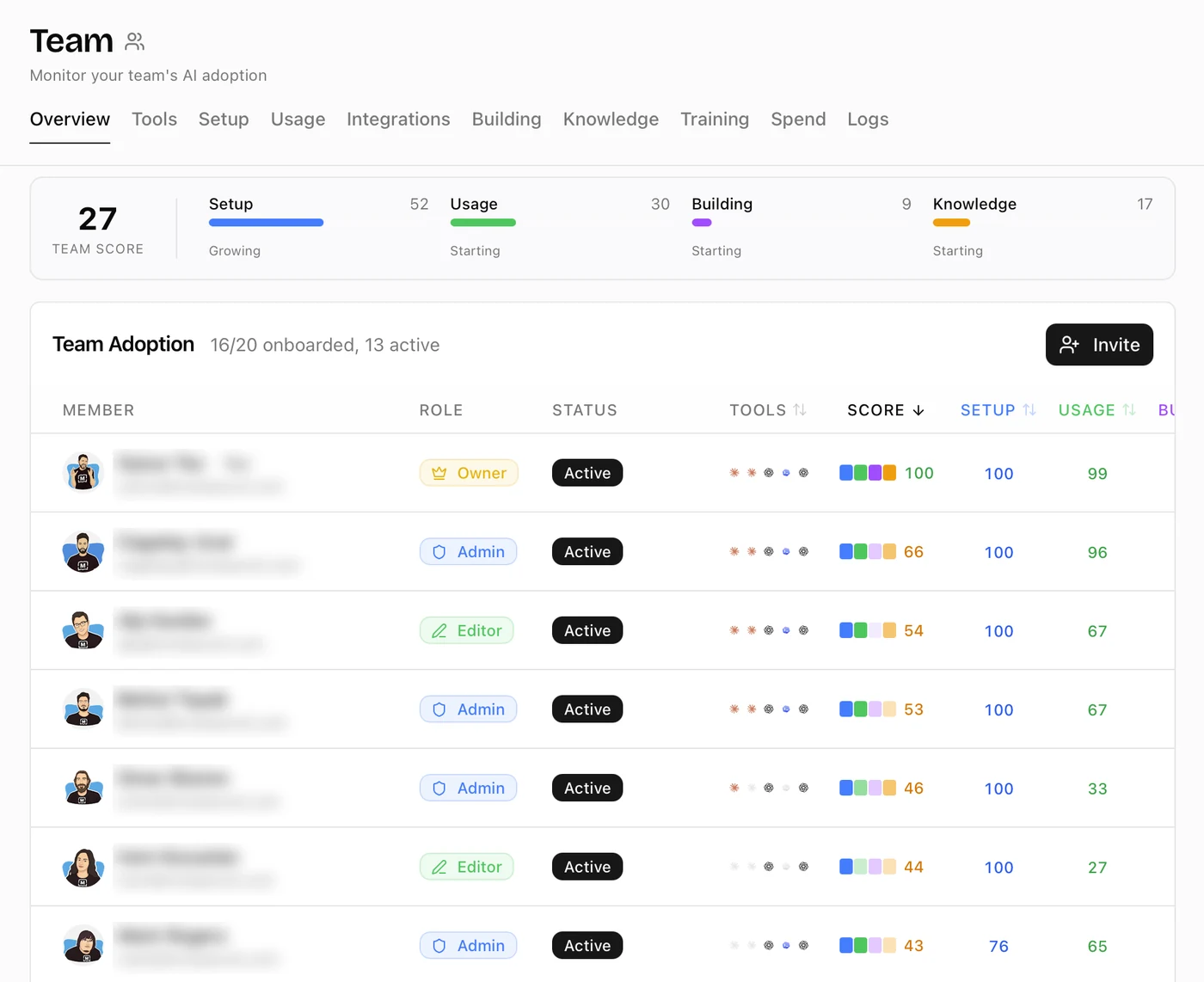
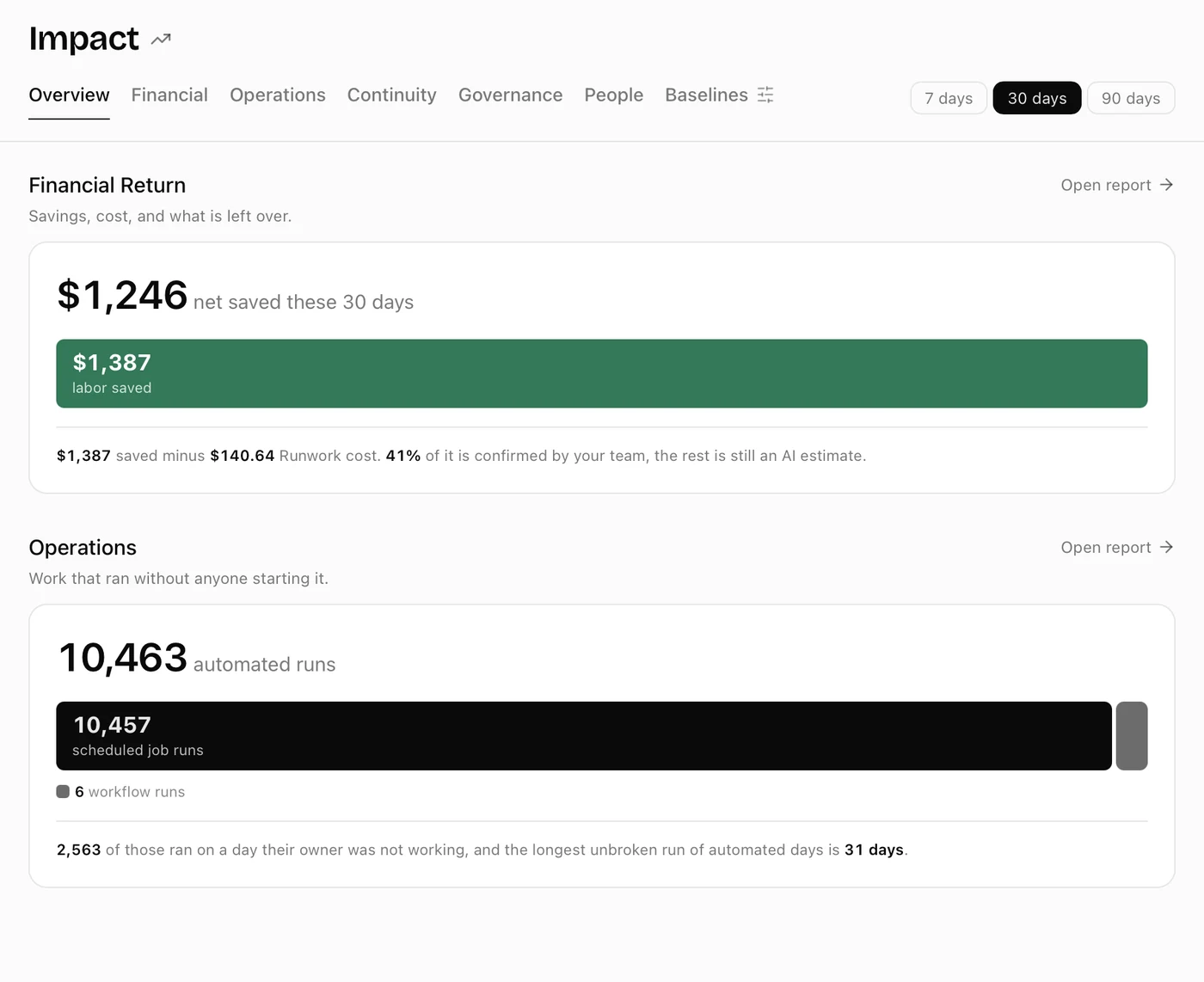
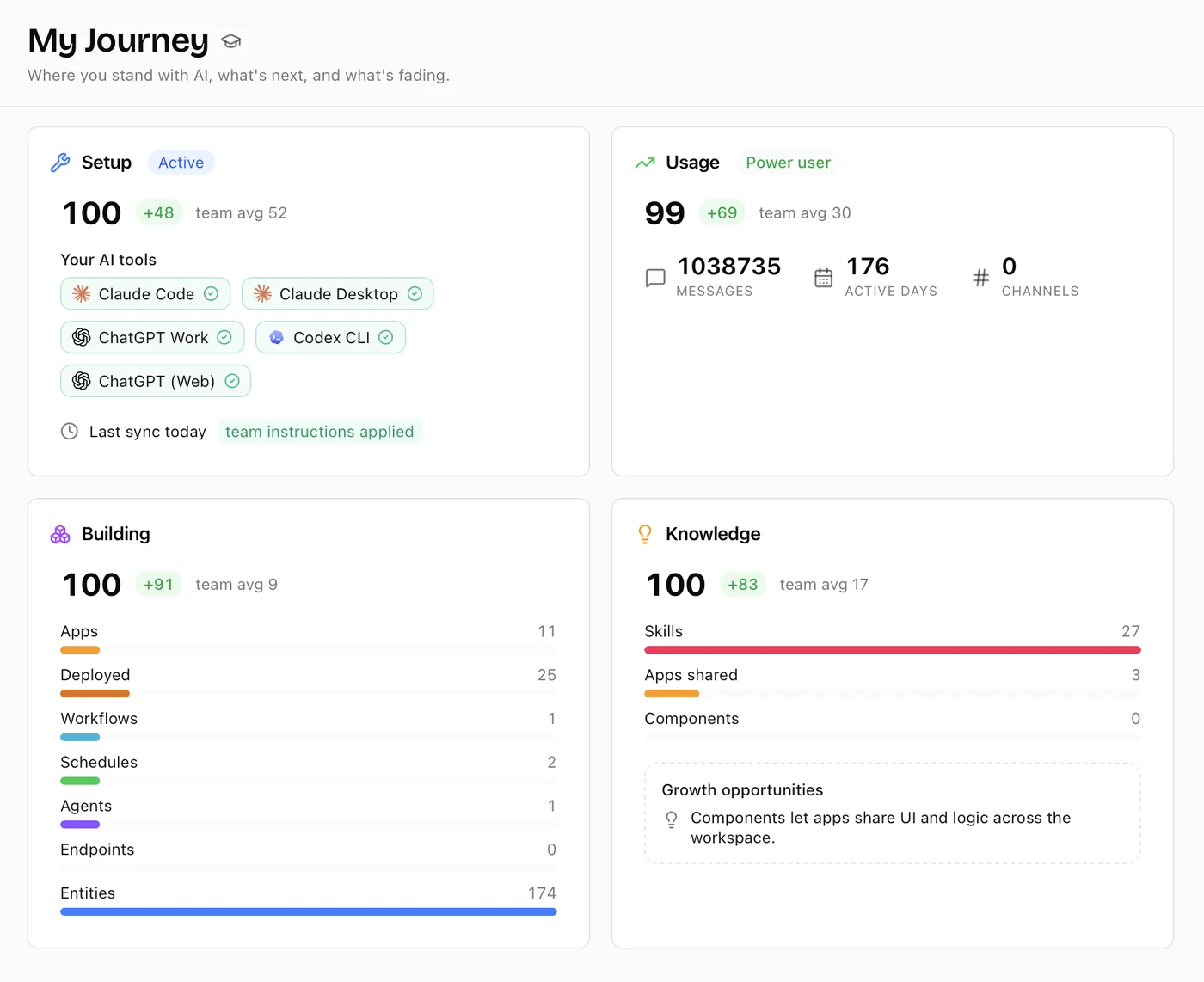
Watch your team become AI-native
One place to see and steer how your team uses AI: which tools, who is getting better, and what the work is worth. Everything the team builds with AI becomes a new kind of company asset, AI work you can count, keep and reuse.
Your data, your rules
How Runwork protects your workChats stay on your computer. A teammate sees one only when you share it.
You choose what to share. New files stay with you until you share them.
Permissions and audit. Control who sees and changes what, with an audit log of who did what.
Encrypted and isolated. In transit and at rest, with every company's data kept in its own workspace.
SOC 2 Type II.
In progress, stay tuned.
Questions
Is this another chat tool?
No. You keep chatting in ChatGPT, Claude or whichever tool you already use. Runwork is the team cloud underneath them, where what your team makes and automates with AI is kept, shared and run.
Do we have to switch AI tools?
No. Runwork works with 60+ AI tools and any model. Switch tools or models whenever a better one ships; your spaces, skills and automations stay where they are.
What do we have to set up?
Install the desktop app and sign in. Runwork finds the folders your AI already works in and offers them as spaces. There is no new chat interface to learn.
How is a space different from a ChatGPT or Claude project?
Those live inside one tool, for one person. A space works with whichever tool each teammate uses, holds the files, skills, instructions, apps and automations together, and the whole team works from it.
What happens to my chats?
They stay on the computer they happened on. Runwork lists them in the space they belong to and collects the files they made, and a teammate sees a chat only when you share it.
Can people who don't code make apps and automations?
Yes. Describe what you need to your AI tool and it builds it in the space. Runwork deploys it and handles sign-in, data and integrations, so the person who needs the tool can make it.
How do integrations stay safe?
Everyone connects their own accounts and can see which tools their teammates have connected. Runwork keeps the credentials instead of every AI tool on every computer, and every call goes through Runwork, so you can see which integrations are used, by which apps and agents, and how often.
What happens to our work when someone leaves?
It stays with the company. Spaces, skills, apps and automations belong to the workspace, so the next person starts from everything the last one made.
Is there a free trial?
Yes. Every new account starts with a 14-day trial, no credit card required. See pricing for the plans.

Bring one piece of work
- Pick one task your team already does with AI, like answering customer emails.
- Book a short call. We turn it into a space, in the AI tools you already use.
- Share it with the team. Everyone's AI starts from the same place.